
What is WhereTheyLeave?
Analytics doesn't have to be scary. WhereTheyLeave reads your Google Analytics or PostHog and tells you in plain words what to fix. Here's why I built it.
· Dominik Supinski
WhereTheyLeave is an analytics assistant. It reads your analytics and answers the questions you actually care about: where you lose customers, what to fix first and whether things got better since last time. It's made for everyone who wants to know what's going on with their website, without dozens of dashboards and hundreds of buttons.
Where did the idea come from?
The idea came when I needed to use Google Analytics for my dad's website. As a millennial and a web developer, I'm familiar with advanced user interfaces and complex internet platforms, but Google Analytics is in a different league. I realized that even to me it looked like a nightmare: way too complicated and way too overwhelming. 😵
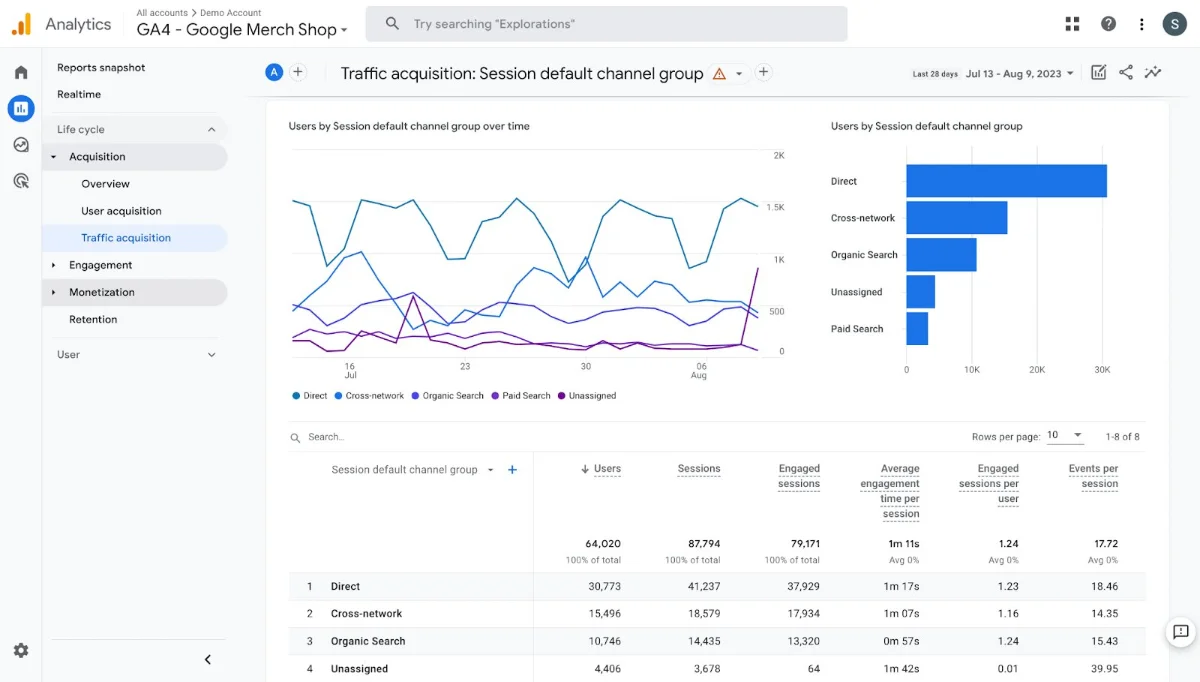 A typical Google Analytics 4 report.
Then I found out it's not just me. Reddit threads and Google forums are full of people asking how to read GA4. My friends and clients kept asking me the same questions. Hundreds, maybe thousands of people have the exact same pain. I thought other analytics tools must be way better. Well... the paid ones are. But they all have one thing in common: they're made for technical people, usually analysts who specialize in this field.
So I built WhereTheyLeave. My goal is an analytics assistant that everybody can use and understand, including my dad. Spoiler: today he reads his reports on his own.
How do you use it?
Create a free account, connect Google Analytics or PostHog and run your first report. Nothing to install, just a few clicks. Seriously.
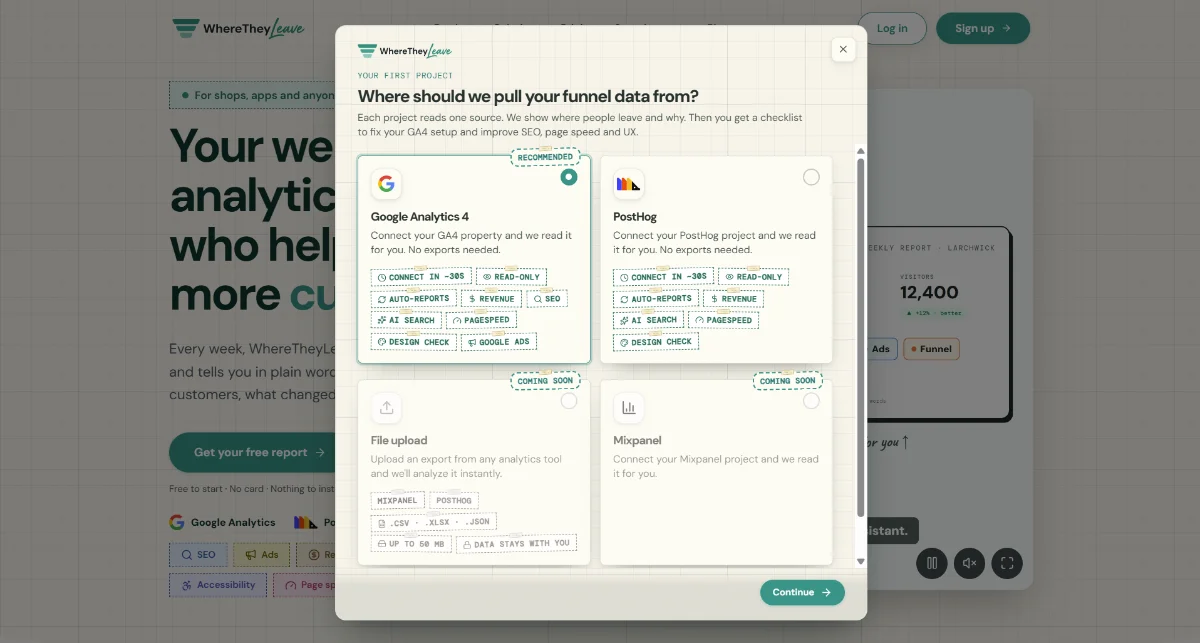 Step one: pick where your data comes from.
What's in a report?
The report combines data from many sources. Besides your analytics, it measures your page speed and accessibility and checks your design and how Google finds you (SEO). Each report gives you a to-do list, so you know what to fix.
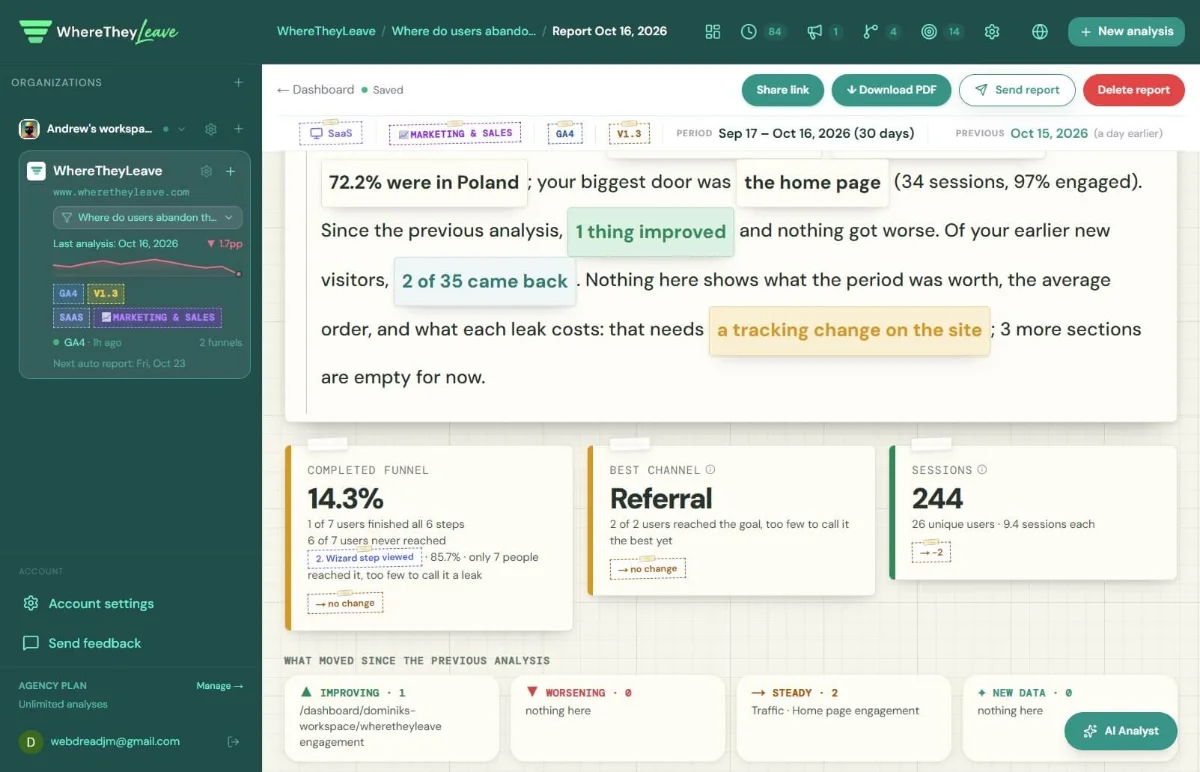 A WhereTheyLeave report: a summary in plain words and what changed since last time.
Why run more than one report?
Each report compares itself with the previous one. The next report shows whether each issue is fixed or still there. The more reports you have, the better the insights get over time.
Today is launch day
After months of testing things out and making sure everybody can understand the reports, I'm introducing WhereTheyLeave to the whole world. 🚀
What comes next?
I'm still improving the app and adding new features. I have a lot of ideas, so stay tuned. 👀
I need your help!
Creating the friendliest analytics assistant on the internet isn't easy. With only my own data, I can't truly test everything. And everyone has different taste when it comes to design and user experience. Feel free to share your feedback and ideas. Just email me at hello@wheretheyleave.com. 🙏
Still not sure?
If you're still asking yourself "Is this for me?", check out the sample report 👉 wheretheyleave.com/demo. It shows a different report for each kind of website. You can also run your first report and save it to your first project for free. No card needed. ✌️